Steam Offline Instruction
Please follow the instructions carefully!
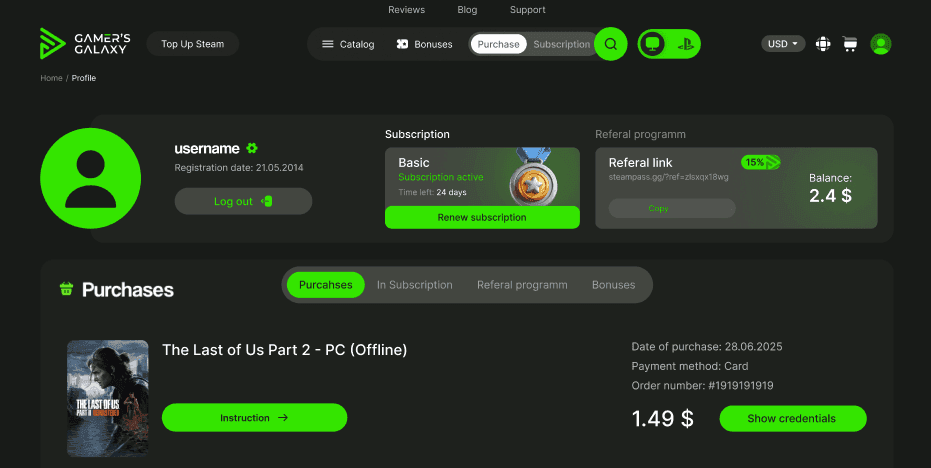
After completing your purchase, go to your personal account.
In the "Purchases" section, you can find the login credentials for your Steam account.
Attention
Access is allowed only through the official Steam client on PC or Steam Deck. Using browsers, mobile devices, or changing account credentials will result in permanent suspension.
Step-by-step guide:
✅ 1. Open Steam
Install the Steam application on Windows if it's not already installed.
✅ 2. Sign in to Steam
Use the login and password you received after purchase.
Check "Remember me".
.
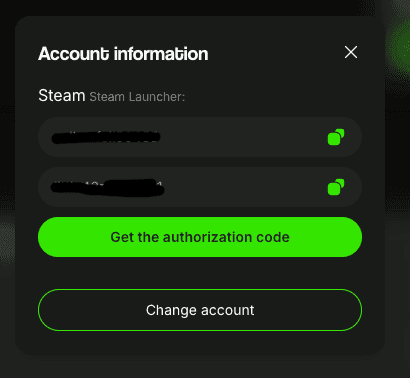
p>❗If Steam asks for a one-time Steam Guard code when signing in, you can obtain it in your personal account section. Open the purchased game and click the "Get code" button.
✅ 3. Disable Remote Play
Open Steam settings, go to Remote Play, and uncheck Enable Remote Play to turn it off.
.
✅ 4. Install the game
Find the game in your library and start the installation.
✅ 5. Disable Steam Cloud
To keep your progress saved locally and avoid data loss, disable Steam Cloud synchronization:
• Right-click the game in your library → Select "Properties" → Uncheck "Keep game saves in the Steam Cloud for [game name]".
.
✅ 6. Enable Offline Mode and launch the game via Steam
If the game uses Denuvo protection (for example, Stellar Blade, Mafia: The Old Country, Doom: The Dark Ages, AC Shadows, the Total War series, and many others), you must launch the game once online until the main menu to complete Denuvo activation.
After that, close the game, switch Steam to Offline Mode, and start the game again.
To enable Offline Mode:
- Open the Steam client.
- Click Steam in the top-left menu.
- Select Go Offline… → Restart game in Offline Mode.
.
❗ Important: Before launching Steam, make sure your account is in Offline Mode! ❗
Now you can run the game from your library and play.
Additional information:
- It is recommended to use this account only in Offline Mode.
- The account is not compatible with cloud gaming services.
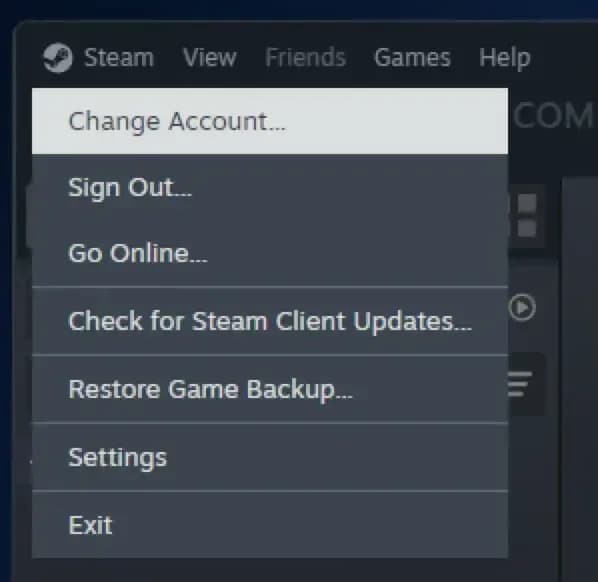
❗ Always sign out using "Steam → Change Account…" — this prevents Steam Guard from asking for a new code next time. ❗
Have a great game!
FAQ
What is offline activation?
Offline activation means you get access to a Steam account with a licensed game at a reduced price: you receive an account with a pre-purchased game, install it using the official Steam client, and then—just in a couple of clicks—switch Steam to offline mode and play. Your game saves remain on your computer, you can always return to your game, update it if needed, freely switch between accounts, and log out completely from the given account whenever you need it.
Will my personal account get banned?
No, your personal account will not be linked to any offline accounts you purchase from us., so there is no risk that your personal account can be banned anyhow. Besides this all accounts on our website belong to us, all games are purchased by us, and we provide a 5-year guarantee for any account.
Are there any regional restrictions?
No, our accounts have no regional restrictions, and you can play from anywhere in the world.
Can I continue to use my personal account?
Yes, you can use multiple accounts at the same time and freely switch between your own and purchased accounts.
Can I play the purchased game from my own account?
No, when you purchase offline activation, you can only play using the provided account.
What is the difference between a subscription and purchasing an offline account from you?
When you purchase an offline account, you get the game forever—it remains in your purchases section with up-to-date data, and will be available even years later. A subscription, on the other hand, gives you access to the entire game library on the site, including new releases. You can play any available games without restrictions, but after the subscription period ends, access to the accounts is revoked.
Is it safe to pay by card on Gamer's Galaxy?
Yes, the site uses secure SSL encryption, so your payment is absolutely safe. You can also pay via the Fast Payment System (SBP) without entering your card details.
Is online play available?
Yes, online play is available on all accounts, but due to shared use, we cannot guarantee stable online access. If another user logs in while you’re online, you may be disconnected from the game. For rental accounts, this limitation does not apply—you are the only user and can play online without issues.
What is 3 / 7 / 14-day rental?
A 3 / 7 / 14-day rental is temporary access to an account. Unlike purchasing an offline account, during the rental period you are the only user of the account and can freely play online
Can I change the account details?
No, you cannot change the details on the purchased account. Any attempt to change the information is prohibited and may result in the loss of access to the account.

ARC Raiders
549,00 ₽
Assassin's Creed Shadows
199,00 ₽

Avatar: Frontiers of Pandora
199,00 ₽
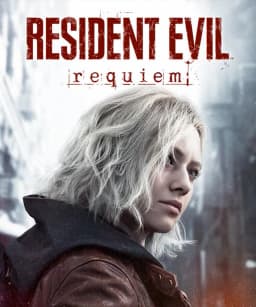
RESIDENT EVIL Requiem
299,00 ₽

Vampire: The Masquerade - Bloodlines 2
149,00 ₽

A Plague Tale: Innocence
499,00 ₽

Anno 117: Pax Romana
249,00 ₽

Cyberpunk 2077
99,00 ₽
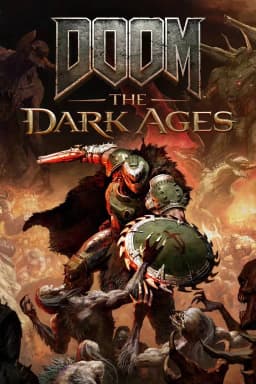
DOOM: The Dark Ages
199,00 ₽

Jurassic World Evolution 3
199,00 ₽

A Plague Tale: Requiem
499,00 ₽

A Total War Saga: Troy
349,00 ₽
The Outer Worlds 2
149,00 ₽
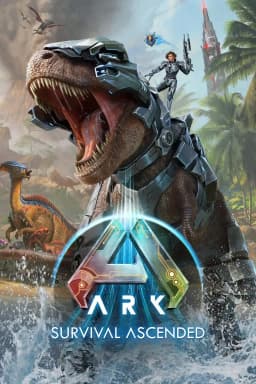
ARK: Survival Ascended
249,00 ₽

Mafia: The Old Country
199,00 ₽
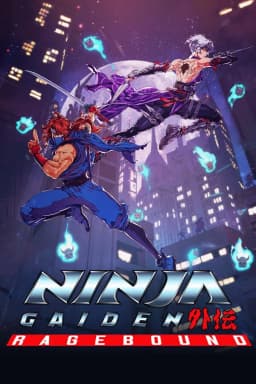
NINJA GAIDEN: Ragebound
10,00 ₽